
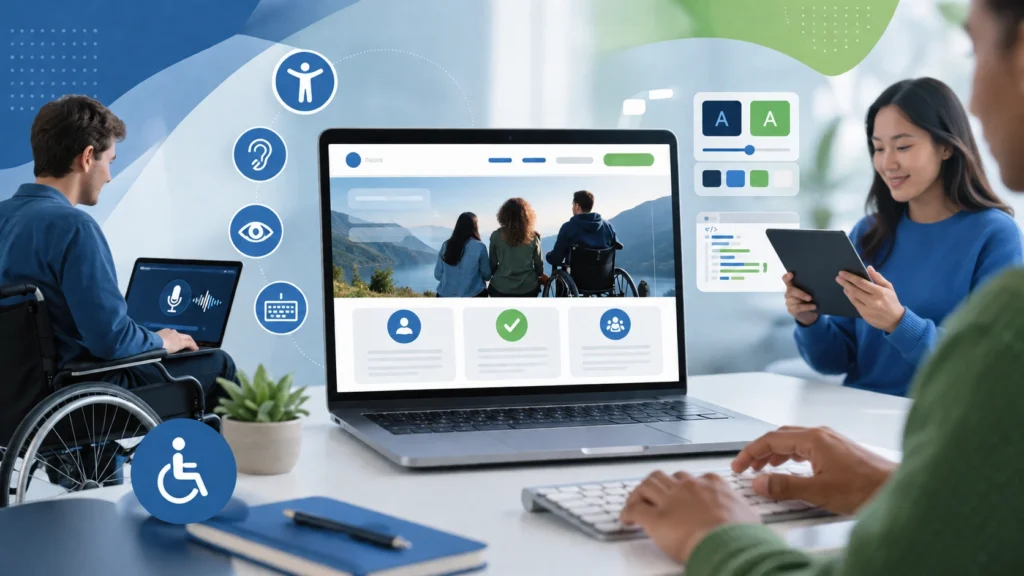
A business website should be welcoming to every visitor, regardless of their abilities or the technology they use to browse the internet. Yet many websites unintentionally create obstacles that prevent people with disabilities from accessing information, making purchases, or contacting a business. This not only affects user experience but can also limit customer reach and impact search engine performance.
Website accessibility focuses on creating digital experiences that everyone can navigate and understand. From users relying on screen readers to those navigating with a keyboard or needing larger text, accessibility ensures that no visitor is left behind. It also supports mobile users, older adults, and people experiencing temporary impairments, making it an essential part of modern web design.
By incorporating accessibility into your website strategy, you improve usability, strengthen your brand reputation, support SEO efforts, and demonstrate your commitment to serving a wider audience. If you’re planning a website design project, considering accessibility from the beginning can help ensure inclusive features are built into the structure, content, and functionality rather than added as an afterthought. Below are the key accessibility practices every business should consider.
Understanding Website Accessibility
Website accessibility is the process of designing and developing websites so they are usable by people with a wide range of physical, sensory, and cognitive abilities. It involves removing digital barriers that might prevent visitors from interacting with content, completing forms, or using website features.
An accessible website enables users to:
- Browse content using assistive technologies such as screen readers.
- Navigate pages with a keyboard instead of a mouse.
- Understand images through descriptive alternative text.
- Watch videos with captions and read transcripts for audio content.
- Complete forms without confusion or unnecessary obstacles.
The internationally recognised Web Content Accessibility Guidelines (WCAG) provide the framework for creating inclusive and user-friendly websites.
Why Accessibility Should Be a Business Priority
Making your website accessible delivers benefits that extend well beyond compliance.
Expand Your Potential Customer Base
Millions of people rely on accessible websites due to permanent, temporary, or age-related disabilities. By removing accessibility barriers, businesses make their products and services available to a much larger audience.
Create Better User Experiences
Accessibility improvements such as intuitive navigation, clear typography, and logical page layouts make websites easier for everyone to use—not just people with disabilities. These elements also form part of the broader features of an effective business website, helping create a digital experience that is accessible, engaging, and easy to navigate.
Strengthen Search Engine Optimisation
Many accessibility techniques also improve SEO. Proper heading structures, semantic HTML, descriptive image text, and organised content help search engines understand your website more effectively.
Build Customer Confidence
An inclusive website demonstrates that your business values every visitor. This commitment helps strengthen credibility, improve customer trust, and encourage long-term loyalty.
Stay Prepared for Accessibility Requirements
Many regions now require businesses to meet digital accessibility standards. Following recognised guidelines can help reduce compliance risks while improving the overall quality of your website.
Essential Accessibility Practices for Business Websites
Use a Logical Heading Structure
Well-organised headings make content easier to read and navigate.
A clear hierarchy should include one primary heading followed by properly ordered subheadings. This allows both visitors and assistive technologies to understand the structure of each page quickly.
Avoid using headings purely for styling purposes, and ensure every heading accurately reflects the content beneath it.
Write Meaningful Alternative Text for Images
Images should always include alternative descriptions where appropriate.
Instead of generic descriptions, explain the purpose or information the image provides. Effective alternative text allows screen reader users to understand visual content without seeing the image itself.
Decorative graphics that add no informational value should be ignored by assistive technologies using empty alt attributes.
Ensure Full Keyboard Navigation
Every visitor should be able to browse your website without relying on a mouse.
Menus, forms, buttons, search tools, and interactive elements should all be accessible using keyboard controls. Users should also be able to clearly identify which element currently has focus while navigating.
Choose Accessible Colour Combinations
Colour choices play an important role in readability.
Text should stand out clearly from its background, making content comfortable to read for users with visual impairments or colour vision deficiencies.
It’s equally important not to rely solely on colour when communicating information. Combine colours with icons, labels, or symbols to ensure important messages remain understandable.
Design Accessible Forms
Forms are often essential for enquiries, bookings, or purchases, so they should be straightforward to complete.
Each field should include a visible label, helpful instructions, and clear validation messages if information is entered incorrectly. Error messages should explain exactly what needs to be corrected rather than simply indicating that something went wrong.
Include Captions and Text Alternatives for Media
Video and audio content should be accessible to all users.
Adding captions allows people with hearing impairments to follow video content, while transcripts provide an alternative way to consume audio information. These additions also improve content discoverability and user convenience.
Use Descriptive Hyperlinks
Link text should clearly indicate where it leads.
Generic phrases such as “Click Here” or “Read More” provide little context, especially for screen reader users.
Instead, use descriptive links that explain the destination or action, helping visitors make informed navigation choices.
Build Mobile-Friendly Responsive Pages
Responsive design is closely connected with accessibility.
Your website should function consistently across desktops, tablets, and smartphones while supporting zoom functionality without breaking layouts or hiding content.
Large touch targets, flexible layouts, and readable text contribute to a better experience across all devices.
Prioritise Easy-to-Read Typography
Typography has a significant impact on accessibility.
Use clear fonts, comfortable font sizes, adequate spacing, and sufficient contrast to improve readability. Long paragraphs should be broken into smaller sections to make information easier to scan.
Consistent typography throughout the website creates a more comfortable browsing experience.
Write Content in Plain Language
Clear communication is an essential accessibility principle.
Avoid unnecessary jargon, overly complex sentences, and confusing terminology. Organise information into manageable sections with descriptive headings so readers can quickly locate the information they need.
Simple, direct writing benefits every visitor regardless of reading ability.
Minimise Unexpected Page Behaviour
Automatic movement and unexpected interactions can create accessibility issues.
Avoid auto-playing videos, rapidly flashing animations, and rotating banners that users cannot control. If animated content is included, provide options to pause, stop, or adjust movement according to user preference.
Provide Helpful Error Feedback
Visitors appreciate clear guidance when something goes wrong.
Rather than displaying vague error notifications, explain the issue in plain language and provide instructions for correcting it. This reduces frustration and improves the likelihood of successful form submissions.
Use Semantic HTML Elements
Proper HTML structure makes websites easier for assistive technologies to interpret.
Using elements such as headers, navigation sections, articles, and footers creates meaningful page organisation while also supporting search engine indexing and future website maintenance.
Test Accessibility Regularly
Accessibility should be verified through ongoing testing rather than assumed.
Combine automated accessibility tools with manual reviews using keyboards and screen readers. Regular testing helps identify usability issues before they negatively affect visitors.
Before a new website or major redesign goes live, accessibility testing should be included as part of the overall quality assurance process. Using a website design checklist before launch to review functionality, usability, responsiveness, content, and technical performance can help uncover potential issues that might otherwise be missed.
Keep Navigation Consistent
Users should encounter familiar navigation patterns throughout your website.
Menus, page layouts, search functions, and contact information should remain consistent across every page. Predictable navigation helps visitors browse confidently and reduces confusion.
Common Accessibility Issues Businesses Overlook
Many business websites unintentionally include accessibility barriers that affect user experience. Some of the most common issues include missing image descriptions, poorly organised headings, insufficient colour contrast, inaccessible forms, unclear navigation, tiny clickable elements, videos without captions, and links that lack descriptive text. These issues can also create friction for visitors who are ready to engage with a business, making it useful to review broader web design mistakes that hurt conversion rates alongside accessibility concerns.
Regular accessibility reviews help identify these problems early and ensure your website continues to provide an inclusive experience for every visitor.
Accessibility and SEO Work Together
Accessibility improvements often contribute directly to stronger search engine performance.
Features such as organised content, descriptive headings, semantic HTML, image alternative text, responsive layouts, and improved usability help search engines better understand your website while encouraging visitors to stay engaged for longer.
As a result, investing in accessibility supports both user satisfaction and long-term organic visibility.
Accessibility Requires Continuous Improvement
Accessibility is not something you complete once and forget. As websites evolve through new content, design updates, and feature additions, accessibility should remain part of your ongoing maintenance strategy.
Regular audits, staff training, content reviews, and usability testing help ensure your website continues to meet modern accessibility expectations. Alongside accessibility checks, following practical website performance maintenance tips can help keep your site fast, reliable, and easy to use as it grows. Listening to feedback from real users can also reveal opportunities to improve areas that automated testing may overlook.
Making accessibility an ongoing priority creates a website that remains useful, inclusive, and future-ready.
Conclusion
Creating an accessible website is one of the smartest investments a business can make. It enables more people to engage with your brand, improves the overall user experience, supports search engine optimisation, and reflects a genuine commitment to inclusivity.
Whether you’re launching a new website or enhancing an existing one, accessibility should be integrated into every stage of planning, design, development, and content creation. Businesses that prioritise inclusive digital experiences are better positioned to build trust, increase engagement, and achieve sustainable online growth.
Build an Accessible Website with Horizon Services
If you’re looking for a website that combines outstanding design, excellent performance, accessibility, and SEO best practices, Horizon Services is ready to help. Our experienced team creates bespoke websites that are visually impressive, fully responsive, and designed to provide an exceptional experience for every visitor.
Whether you need a brand-new website or want to improve your current one, hire website designer and developers in Watford and let Horizon Services deliver a future-ready website that helps your business stand out while ensuring accessibility for all users.


