
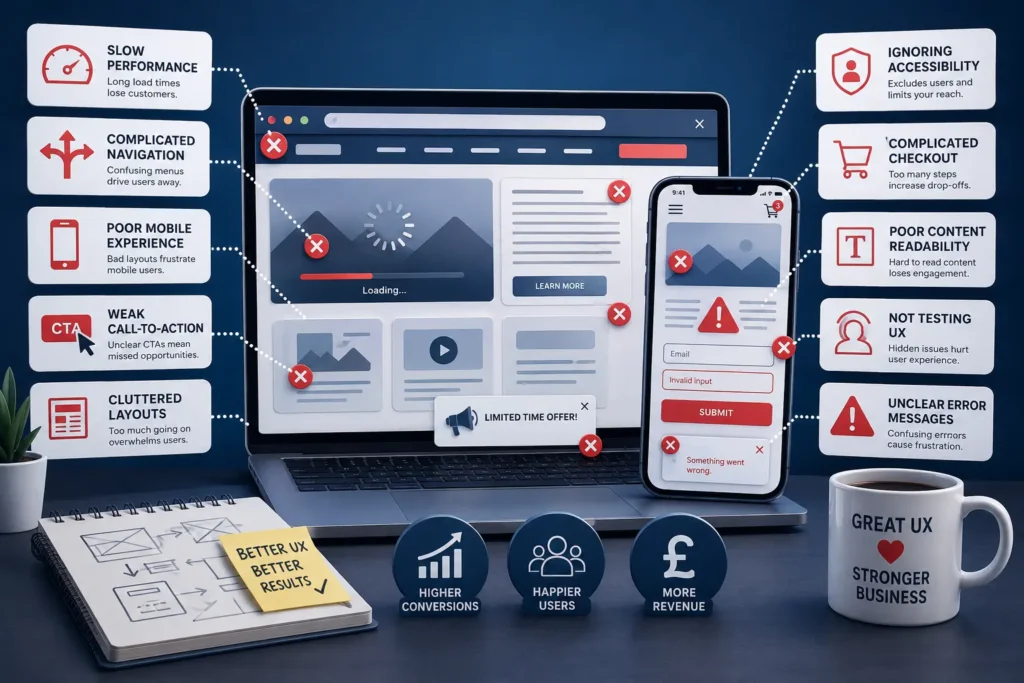
A business website or mobile application is far more than a digital brochure—it represents your brand, influences customer perception, and plays a major role in driving sales. In today’s fast-moving online environment, users expect websites to be intuitive, visually appealing, and easy to navigate. When those expectations are not met, businesses often lose valuable customers without realizing the true reason behind declining conversions.
A poor user experience can quietly impact your company’s growth by increasing bounce rates, reducing customer trust, and lowering engagement. Visitors are unlikely to stay on a website that feels outdated, slow, confusing, or difficult to use. Even small usability problems can discourage potential customers from completing purchases, filling out forms, or contacting your business.
Companies that invest in effective UI/UX strategies create smoother digital experiences that encourage users to interact, explore, and convert. Understanding the advantages of investing in UI/UX design for better ROI and the impact of UI/UX design on conversion rates in digital products can help businesses recognize how user-centered design directly contributes to higher engagement, stronger customer retention, and improved conversion performance. On the other hand, businesses that ignore usability issues often miss opportunities for revenue growth.
This article explores some of the most common UI/UX mistakes businesses make and explains how these problems may be costing you customers and money.
Slow Website Performance
Website speed has a direct impact on user satisfaction. Modern users expect pages to load quickly, and even a slight delay can cause frustration. If your website takes too long to open, visitors may leave before interacting with your content.
Slow performance can negatively affect:
- Customer engagement
- Search engine visibility
- Lead generation
- Conversion rates
- Overall user satisfaction
Large media files, unoptimized code, and unnecessary scripts are common causes of poor website performance.
Ways to Improve Speed
- Compress large images
- Reduce unused scripts and plugins
- Optimize CSS and JavaScript
- Use high-quality web hosting
- Enable browser caching
A fast-loading website improves the browsing experience and increases the chances of converting visitors into customers.
Complicated Navigation Structure
Users should be able to find information quickly and easily. When menus are confusing or poorly organized, visitors may become frustrated and leave your website.
Navigation problems often make it difficult for users to locate services, products, pricing details, or contact pages.
Common Navigation Problems
- Overcrowded menus
- Poor page organization
- Broken links
- Unclear menu labels
- Lack of search functionality
Navigation Improvement Tips
- Keep menus simple and clean
- Use clear category names
- Maintain consistent layouts
- Add search functionality
- Optimize navigation for mobile users
A clear navigation structure helps users move through your website with confidence.
Poor Mobile Experience
With mobile users accounting for a large percentage of online traffic, businesses cannot afford to ignore responsive design. A website that works well on desktop but performs poorly on mobile devices creates frustration for visitors.
Mobile usability issues often include distorted layouts, unreadable text, and difficult navigation.
Mobile UX Mistakes
- Tiny clickable buttons
- Text that requires zooming
- Slow mobile loading times
- Broken layouts on smaller screens
- Intrusive popups
Improving Mobile Usability
- Use responsive website design
- Optimize images for mobile devices
- Create touch-friendly interfaces
- Test the website on multiple devices
- Simplify mobile menus
A mobile-friendly website improves accessibility and supports higher engagement rates.
Weak Call-to-Action Design
Calls-to-action guide users toward important actions such as requesting a quote, booking a service, or making a purchase. If CTAs are unclear or difficult to notice, users may leave without taking action.
Some businesses use vague messaging or place CTAs in areas where users rarely notice them.
Examples of Ineffective CTAs
- Generic phrases without context
- Buttons that blend into the design
- Too many CTA buttons on one page
- Poor placement within the content
Effective CTA Strategies
- Use action-focused wording
- Make buttons visually noticeable
- Place CTAs naturally within content
- Reduce distractions around key actions
- Test different CTA designs
Strong calls-to-action encourage users to complete desired actions and improve conversion rates.
Overcrowded Website Layouts
An overloaded interface can make users feel overwhelmed. Too many design elements, bright colors, animations, or text sections can reduce usability and distract visitors from important information.
Simple and clean designs usually create better user experiences because they help visitors focus on key content.
Signs of a Cluttered Interface
- Excessive banners and popups
- Poor spacing between sections
- Too many fonts and colors
- Overuse of graphics
- Difficult-to-read layouts
How to Simplify Design
- Focus on essential content
- Use whitespace strategically
- Maintain consistent styling
- Reduce unnecessary elements
- Improve readability
A clean layout makes navigation easier and helps users engage more effectively with your content.
Inconsistent Branding Across Pages
Consistency is essential in creating a professional digital experience. When fonts, colors, layouts, and design elements change from page to page, users may question the credibility of your brand.
A consistent interface builds familiarity and strengthens brand recognition.
Benefits of Consistent Design
- Improves professionalism
- Enhances user trust
- Strengthens branding
- Creates a smoother experience
Maintaining Consistency
- Use standardized fonts and colors
- Create a design system
- Maintain uniform button styles
- Follow clear brand guidelines
Consistent branding helps users feel more comfortable and confident while interacting with your website.
Ignoring Accessibility Standards
Accessibility is an important part of modern web design. Websites should be easy to use for everyone, including people with visual, hearing, or physical disabilities.
Failing to include accessibility features may limit your audience and create usability barriers.
Accessibility Issues Businesses Often Ignore
- Low text contrast
- Missing image descriptions
- Poor keyboard navigation
- Small font sizes
- Confusing form fields
Accessibility Best Practices
- Use readable typography
- Add alternative text for images
- Improve color contrast
- Support keyboard navigation
- Design accessible forms
Accessible websites improve usability for all visitors while expanding your customer reach.
Complicated Checkout or Contact Processes
Users prefer fast and simple experiences when making purchases or submitting inquiries. Long forms, unnecessary steps, and hidden costs often cause visitors to abandon the process.
Common Conversion Barriers
- Forced account registration
- Too many required fields
- Unexpected charges
- Limited payment methods
- Lack of security indicators
Ways to Reduce Friction
- Simplify forms
- Offer guest checkout options
- Display costs clearly
- Include trusted payment methods
- Add security badges
Reducing unnecessary steps helps improve customer trust and increases conversions.
Poor Content Formatting and Readability
Even valuable content becomes ineffective if users struggle to read it. Large blocks of text, poor spacing, and difficult typography can discourage visitors from engaging with your content.
Well-structured content improves readability and keeps users interested.
Common Readability Problems
- Small font sizes
- Dense paragraphs
- Weak contrast between text and background
- Poor spacing
- Overly technical language
Improving Content Readability
- Use headings and subheadings
- Break text into smaller sections
- Include bullet points where necessary
- Choose easy-to-read fonts
- Maintain proper spacing
Readable content improves user engagement and encourages visitors to stay longer on your website.
Not Testing the User Experience
Many businesses launch websites without fully understanding how real users interact with them. Without testing and feedback, usability problems often remain hidden.
User testing helps identify obstacles that may prevent visitors from completing actions.
Benefits of User Testing
- Identifies usability issues
- Improves customer satisfaction
- Enhances conversion performance
- Supports informed design decisions
- Reduces bounce rates
Useful Testing Methods
- Heatmap analysis
- A/B testing
- User feedback surveys
- Session recordings
- Usability testing sessions
Continuous testing helps businesses improve the digital experience over time.
Excessive Use of Animations
Animations can make websites feel modern and interactive, but overusing them often creates distractions and slows performance.
Heavy visual effects may reduce usability, especially for mobile users.
Animation Mistakes
- Overly complex transitions
- Auto-playing media
- Delayed interactions
- Excessive motion effects
Smarter Animation Usage
- Keep animations subtle
- Prioritize performance optimization
- Use motion only when it improves usability
- Avoid unnecessary distractions
Balanced animation design creates a better user experience without affecting functionality.
Unclear Error Messages
Users expect helpful guidance when something goes wrong. Generic or confusing error messages can create frustration and increase abandonment.
For example, a message like “Invalid input” without explanation may confuse users.
Better Error Message Practices
- Explain the issue clearly
- Highlight incorrect fields
- Offer solutions or next steps
- Use user-friendly language
Clear communication improves trust and helps users complete tasks more successfully.
The Business Value of Strong UI/UX Design
Good UI/UX design is not only about visual appearance—it directly influences customer behavior and business growth. Keeping up with the latest UI/UX design trends that boost user engagement helps businesses create digital experiences that meet evolving user expectations while increasing conversions, improving customer retention, and strengthening brand image.
Businesses that prioritize user experience often benefit from:
- Higher engagement rates
- Better conversion performance
- Improved search visibility
- Stronger customer loyalty
- Reduced bounce rates
- Greater customer satisfaction
Investing in user-centered design can create long-term business advantages.
Conclusion
Poor UI/UX design choices can negatively affect your business in ways that are not always obvious. Slow loading times, difficult navigation, weak calls-to-action, cluttered layouts, and poor mobile experiences all contribute to lost opportunities.
By identifying and fixing usability issues, businesses can create smoother digital journeys that encourage engagement and drive conversions. A well-designed website not only improves user satisfaction but also supports long-term growth and profitability.
Creating a successful digital experience requires thoughtful planning, ongoing testing, and a deep understanding of user behavior. Understanding the stages of the UI/UX design process helps businesses identify usability issues early, make informed design decisions, and build digital products that deliver better user experiences and stronger business results.
Enhance Your Digital Presence with Horizon Services
At Horizon Services, we help businesses build engaging, user-focused digital experiences that support growth and customer satisfaction. As a full-service digital agency based in Watford, UK, we specialize in responsive web design, intuitive interfaces, and conversion-focused user experiences.
Whether you need a website redesign, mobile optimization, or a complete UI/UX strategy, our team can help you create a stronger online presence that delivers measurable results.Discover our UI/UX design services in Watford, UK and learn how Horizon Services can help your business improve usability, increase conversions, and create exceptional digital experiences.


