
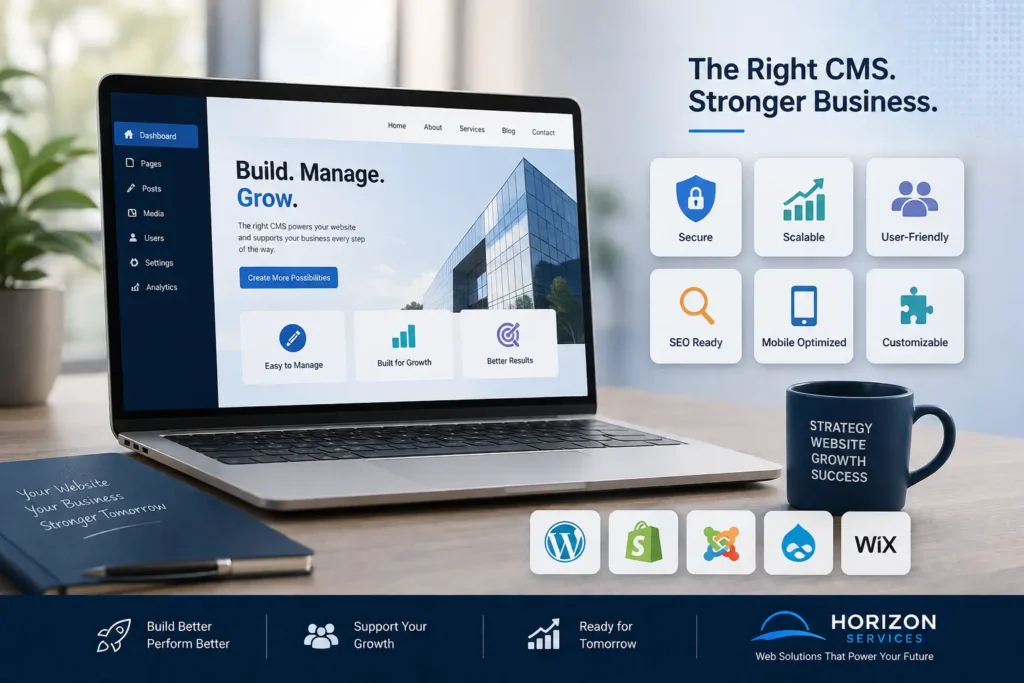
A business website is one of the most valuable digital assets your company can own. However, its success depends on more than just an attractive design. Behind every well-performing website is a Content Management System (CMS) that makes it easy to publish content, maintain functionality, and support future growth.
With countless CMS platforms available, choosing the right one can be challenging. Every platform offers different strengths, features, and levels of flexibility, so selecting one that aligns with your business goals is essential.
This guide explains what a CMS is, why it matters, and the important factors to evaluate before deciding which platform is best suited for your business.
Understanding a Content Management System (CMS)
A Content Management System is software that enables users to build, edit, organize, and maintain website content without needing advanced programming skills.
Instead of modifying website code whenever changes are required, a CMS provides an intuitive dashboard where business owners and marketing teams can easily manage their websites.
Typical tasks include:
- Publishing new pages and blog articles
- Updating business information
- Uploading images, videos, and documents
- Managing website users and permissions
- Optimizing pages for search engines
- Adding new functionality through plugins or extensions
An efficient CMS simplifies website management while reducing reliance on developers for everyday updates.
Why Your CMS Choice Is Important
Many businesses invest significant time in branding and web design but overlook the technology powering their website. Choosing the wrong CMS can create long-term challenges, including:
- Slow page loading times
- Limited design flexibility
- Poor search engine performance
- Higher maintenance expenses
- Security vulnerabilities
- Difficult content updates
- Costly platform migrations
Selecting the right CMS from the outset provides a solid foundation for your online presence and supports future business growth.
Essential Factors to Consider When Selecting a CMS
User-Friendly Interface
One of the first things to evaluate is how easy the platform is to use. Your team should be able to update content quickly without requiring technical expertise.
A good CMS should offer:
- A clean and intuitive dashboard
- Simple content editing tools
- Easy image and media management
- Straightforward publishing workflows
- Logical navigation
An easy-to-use platform saves time and allows your business to remain agile.
Room for Business Growth
Your website should evolve alongside your business.
As your company expands, your CMS should be capable of supporting:
- Additional website pages
- Increased visitor traffic
- Multiple locations or languages
- New services or products
- Extra functionality and integrations
A scalable CMS prevents the need for expensive rebuilds as your business develops.
Search Engine Optimization Features
Search engine visibility plays a vital role in attracting new customers.
Your CMS should provide built-in tools or support features such as:
- Editable page titles and meta descriptions
- Search-friendly URL structures
- XML sitemap generation
- Canonical URLs
- Image optimization
- Schema markup
- Redirect management
These capabilities make it easier to implement an effective SEO strategy and improve online visibility.
Website Speed and Performance
Visitors expect websites to load almost instantly. Even a small delay can increase bounce rates and reduce conversions.
Choose a CMS that supports:
- Caching technologies
- Image optimization
- Lightweight themes
- CDN compatibility
- Performance optimization plugins
Fast websites create better user experiences while contributing positively to search rankings.
Security and Reliability
Protecting your website and customer data should always be a priority.
An ideal CMS should include:
- Frequent security updates
- Secure user access controls
- Two-factor authentication options
- Trusted plugin marketplaces
- Backup and recovery tools
- Active developer support
Strong security measures help reduce the risk of cyberattacks and data breaches. Even with a secure platform, occasional technical challenges can arise due to plugin conflicts, software updates, or configuration changes. Understanding and solving common CMS platform issues can help minimize downtime, improve website stability, and ensure your business continues to deliver a seamless user experience.
Mobile-Friendly Design Support
With most internet users browsing via smartphones, mobile responsiveness is no longer optional.
Your CMS should support responsive layouts that automatically adapt to different screen sizes while maintaining fast loading speeds.
Since Google primarily evaluates the mobile version of websites, choosing a mobile-friendly platform is essential for SEO and user experience.
Flexibility and Customization
Every business has unique requirements, so your CMS should allow for customization without major limitations.
Depending on your goals, you may eventually need features such as:
- Appointment booking systems
- Customer portals
- Membership functionality
- Event management
- Advanced contact forms
- CRM integrations
- API connectivity
A flexible CMS ensures your website can adapt as your business needs change.
Plugin and Extension Availability
One of the greatest advantages of modern CMS platforms is their ability to expand functionality through plugins.
Popular extensions can add features like:
- Search engine optimization
- Live chat
- Website security
- Analytics
- Email marketing
- Contact forms
- Social media integration
A large ecosystem of reliable plugins makes future website enhancements much easier.
E-commerce Readiness
Even if you don’t currently sell products online, choosing a CMS with e-commerce capabilities can provide valuable flexibility later.
Look for support for:
- Secure online payments
- Product management
- Inventory tracking
- Customer accounts
- Shipping integrations
- Shopping cart functionality
This future-proofs your investment should your business expand into online sales.
Overall Cost
The initial price of a CMS doesn’t always reflect its long-term value.
When comparing platforms, consider:
- Hosting fees
- Premium themes
- Paid plugins
- Maintenance costs
- Security services
- Technical support
- Future development expenses
Calculating the total cost of ownership provides a more realistic picture of your investment.
Comparing Leading CMS Platforms
WordPress
WordPress remains the preferred choice for millions of businesses worldwide.
Advantages
- Highly customizable
- Excellent SEO capabilities
- Extensive plugin library
- Large global developer community
- Cost-effective
- Suitable for businesses of all sizes
Things to Consider
- Requires regular updates
- Plugin quality can vary
- Needs ongoing security management
For most businesses seeking flexibility and long-term growth, WordPress remains one of the strongest options available.
Shopify
Designed primarily for online retailers, Shopify offers an all-in-one e-commerce solution.
Benefits
- Quick setup
- Secure hosting included
- Reliable performance
- Excellent online store features
Limitations
- Monthly subscription costs
- Less suitable for content-focused websites
- Some advanced features require additional apps
Joomla
Joomla offers greater flexibility than many beginner platforms but has a steeper learning curve.
Strengths
- Advanced user management
- Built-in multilingual support
- Strong customization capabilities
Drawbacks
- More technical to manage
- Smaller extension ecosystem
- Less beginner-friendly than WordPress
Drupal
Drupal is widely used by governments, universities, and enterprise organizations requiring advanced security and scalability.
Advantages
- Enterprise-grade security
- Highly scalable
- Extensive customization
Challenges
- Requires experienced developers
- More complex administration
- Higher implementation costs
Wix
Wix is popular among startups and small businesses looking for a quick website solution.
Benefits
- Easy drag-and-drop editing
- Hosting included
- Beginner-friendly interface
Limitations
- Limited scalability
- Less design flexibility
- Fewer advanced SEO options
Questions to Ask Before Making Your Decision
Before selecting a CMS, consider the following:
- What is the main objective of your website?
- Who will manage website content?
- How frequently will updates be made?
- Will your business require online selling?
- Are international markets part of your future plans?
- Which third-party integrations will be necessary?
- How important is search engine optimization?
- What budget is available for ongoing maintenance?
Answering these questions helps narrow your options and ensures your CMS aligns with your long-term strategy.
Mistakes Businesses Often Make
Prioritizing Low Cost Over Value
Choosing the cheapest platform often results in higher expenses later due to limited functionality and costly upgrades.
Ignoring SEO Capabilities
A CMS lacking essential SEO features can make it much harder for potential customers to discover your business online.
Selecting More Features Than Necessary
Not every business requires an enterprise-level solution. Choosing an overly complicated platform can increase costs and reduce efficiency.
Underestimating Security
Security should never be treated as an optional extra. A secure website protects your reputation and builds customer confidence.
Failing to Plan for Future Growth
Migrating an entire website to another CMS can be expensive and disruptive. It’s wiser to choose a scalable solution from the beginning.
Which CMS Is the Best Choice?
There isn’t a single CMS that’s perfect for every business. However, WordPress consistently stands out because it offers an excellent balance of flexibility, affordability, scalability, and SEO performance.
Whether you’re operating a local service business, consultancy, corporate website, or content-driven platform, WordPress provides the tools needed to support long-term digital success.
Choosing a CMS That Can Grow with Your Business
Digital technology continues to evolve rapidly, so your CMS should be capable of adapting to future innovations.
Look for platforms that support:
- AI-powered tools
- Marketing automation
- CRM integration
- API connectivity
- Accessibility improvements
- Core Web Vitals optimization
- Ongoing software updates
Future-ready technology reduces the need for major platform changes as your business evolves.
Final Thoughts
Your CMS serves as the backbone of your website, influencing everything from content management and search engine visibility to security and long-term scalability.
Rather than choosing a platform based solely on popularity or cost, carefully evaluate your business objectives, technical requirements, and future growth plans. Understanding how to choose the best technology for your business website, including Should your business use a custom website or a website builder?, can help you make informed decisions not only about your CMS but also about the overall technology stack that will support your business for years to come . Investing time in selecting the right CMS today can save significant time, money, and frustration in the years ahead.
Ultimately, the best CMS is one that empowers your team, delivers an excellent user experience, and supports your business as it continues to grow.
Build a Website on the Right Foundation with Horizon Services
Choosing the ideal CMS is only one part of creating a successful online presence. A professionally designed website that combines outstanding performance, strong SEO, and user-focused functionality will generate far greater long-term value.
At Horizon Services, our experienced team delivers tailored web solutions for businesses across Watford and beyond. From custom CMS development and website redesigns to ongoing maintenance and digital strategy, we help businesses create websites that drive measurable results.
If you’re searching for a trusted website design and development company in Watford, Horizon Services is ready to help you build a website that supports your business today and scales for tomorrow.


