
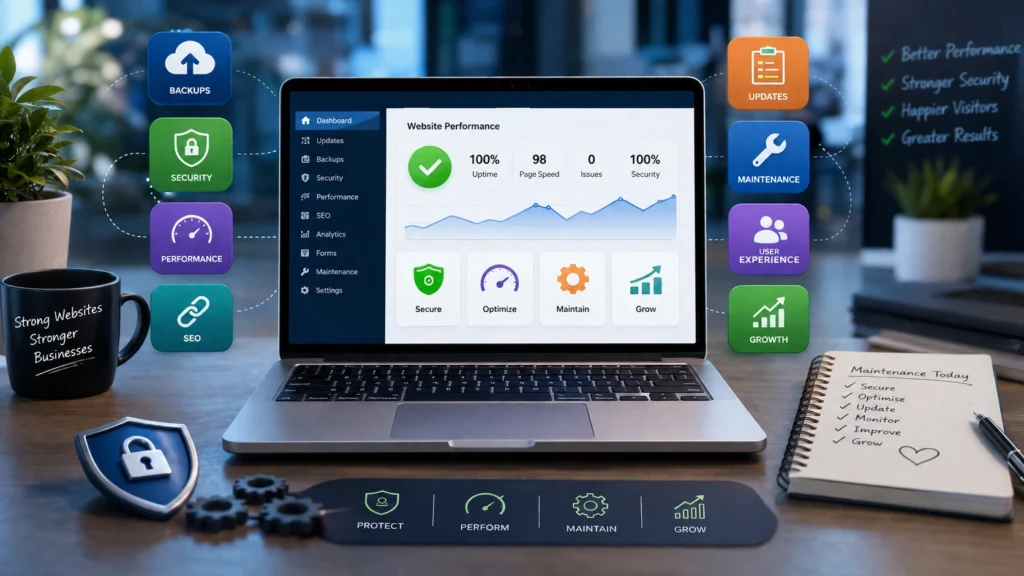
Launching a website is an exciting achievement for any business, but getting your site online is only the first stage of building a successful digital presence. To continue attracting visitors, generating leads, and maintaining strong search engine visibility, your website needs regular attention. Without ongoing maintenance, even the best-designed websites can gradually become slower, less secure, and outdated.
A neglected website may suffer from technical issues, broken functionality, declining search rankings, and security vulnerabilities that damage your reputation and customer confidence. On the other hand, consistent maintenance helps ensure your website continues to deliver a fast, secure, and seamless experience for every visitor.
Whether you operate a local business website, an online shop, or a large corporate platform, following a structured maintenance routine will keep your website operating efficiently long after its launch.
Why Ongoing Website Maintenance Is Essential
Your website is often the first impression potential customers have of your business. If it loads slowly, contains outdated information, or displays errors, visitors may quickly leave and choose a competitor instead.
Routine maintenance provides several long-term advantages, including:
- Strengthening website security
- Improving loading performance
- Supporting better search engine rankings
- Reducing unexpected technical issues
- Enhancing user satisfaction
- Increasing conversions
- Keeping your website compatible with modern browsers and devices
Regular maintenance prevents minor issues from developing into major problems that can affect your online performance.
Keep Your Website Platform Updated
Every website relies on software that requires periodic updates. Whether your website is built with WordPress, Drupal, Joomla, or another content management system, developers continually release updates to improve functionality and address security concerns.
These updates often include:
- Core platform improvements
- Plugin enhancements
- Theme compatibility updates
- Security patches
- Performance optimisations
Running outdated software leaves your website exposed to cyber threats and may create compatibility issues with newer technologies.
Before installing any updates, always create a complete backup so your website can be restored if necessary.
Back Up Your Website Regularly
Unexpected situations such as hacking attempts, server failures, accidental deletions, or software conflicts can result in significant data loss. Reliable backups allow you to recover quickly with minimal disruption.
An effective backup strategy should include:
- Website files
- Databases
- Images and media
- Customer information
- Product listings
- Blog content
The frequency of backups should reflect how often your website changes. Active websites may require daily backups, while smaller websites may only need weekly copies.
Store backup files securely using reliable cloud storage or separate off-site locations.
Strengthen Website Security
Website security is no longer optional. Businesses of every size face growing cybersecurity threats, making regular security checks an important part of website management.
Good security practices include:
- Using SSL certificates
- Creating strong passwords
- Activating two-factor authentication
- Removing unused plugins and themes
- Restricting failed login attempts
- Installing firewall protection
- Scheduling malware scans
Monitoring your website for unusual activity allows problems to be identified before they become serious.
Improve Website Speed and Performance
Visitors expect websites to load almost instantly. Slow pages frustrate users, increase bounce rates, and negatively affect search engine rankings.
Several maintenance tasks can help improve website speed.
Optimise Images
Large image files are one of the most common causes of slow websites. Compressing images and using modern formats like WebP helps reduce file sizes while maintaining visual quality.
Enable Caching
Caching stores website resources on visitors’ devices, allowing pages to load much faster during repeat visits.
Reduce Unnecessary Code
Minifying HTML, CSS, and JavaScript removes redundant characters and reduces overall page size, improving loading speed.
Clean Your Database
As websites grow, databases often collect unnecessary information that slows performance. Regular optimisation removes unused data and improves efficiency.
Use a Content Delivery Network
A Content Delivery Network (CDN) distributes your website across multiple servers worldwide, enabling users to access your content more quickly regardless of their location.
Identify and Repair Broken Links
Broken links create a poor browsing experience and make it more difficult for search engines to crawl your website effectively.
Regular website audits should identify:
- Missing pages
- Invalid internal links
- Broken external links
- Missing media files
- Redirect errors
Correcting these issues improves both usability and SEO.
Refresh Website Content
Keeping your content current encourages repeat visitors and signals to search engines that your website remains active.
Review your website regularly to ensure:
- Contact information is accurate
- Business hours remain current
- Services reflect your latest offerings
- Team profiles are up to date
- Pricing information is correct
- Older blog articles remain relevant
Publishing fresh articles, guides, customer success stories, and industry insights also strengthens your overall SEO strategy.
Test Every Website Form
Online forms play an important role in generating enquiries and sales. Unfortunately, many businesses fail to notice broken forms until valuable leads have already been lost.
Regularly test every form on your website, including:
- Contact forms
- Quote requests
- Newsletter subscriptions
- Appointment bookings
- Checkout forms
- Customer support requests
Verify that submissions are delivered correctly and function properly across desktop and mobile devices.
Review Website Analytics
Analytics provide valuable insights into how visitors interact with your website.
Monitor important metrics such as:
- Total visitors
- Bounce rate
- Average session duration
- Popular landing pages
- Conversion rates
- Traffic channels
- Mobile user behaviour
Analysing these reports helps identify opportunities to improve user experience and increase conversions.
Ensure Excellent Mobile Performance
Most internet users now browse on smartphones and tablets, making mobile optimisation essential.
Even if your website was responsive at launch, regular testing remains important as new devices and browser updates are introduced.
Check that your website performs well by reviewing:
- Responsive page layouts
- Readable text
- Easy-to-use navigation
- Properly sized buttons
- Working forms
- Fast-loading images
- Smooth checkout experiences
A positive mobile experience encourages visitors to stay longer and engage with your content.
Monitor Your SEO Health
Search engine optimisation requires ongoing attention rather than a one-time setup.
Regular SEO reviews should include:
- Meta titles
- Meta descriptions
- Heading structure
- Internal linking
- XML sitemap
- Robots.txt file
- Structured data
- Keyword performance
Refreshing older content with updated information can often improve rankings without creating entirely new pages.
Remove Unnecessary Plugins
As websites evolve, many plugins become obsolete or unused. Keeping unnecessary plugins installed increases security risks and may slow your website.
Regularly review installed plugins and remove those that are no longer required.
Doing so improves performance while reducing maintenance complexity.
Monitor Website Availability
Website downtime affects customer confidence and may result in lost sales.
Using uptime monitoring tools allows you to receive immediate alerts whenever your website becomes unavailable, enabling quick action before visitors are affected.
Evaluate the Overall User Experience
User expectations constantly change, making regular usability reviews an important maintenance activity.
Ask yourself:
- Can visitors easily find important information?
- Is navigation simple and intuitive?
- Are call-to-action buttons easy to locate?
- Do pages load quickly?
- Is the content easy to understand?
Small improvements in usability often produce noticeable increases in engagement and conversions.
Keep Legal Information Current
Business regulations and privacy requirements continue to evolve.
Review important legal pages regularly, including:
- Privacy Policy
- Cookie Policy
- Terms and Conditions
- Accessibility Statement
- Returns or Refund Policy
Accurate legal information helps maintain compliance while increasing customer confidence.
Test Across Multiple Browsers
Visitors access websites using different browsers and operating systems.
Periodically test your website on:
- Google Chrome
- Microsoft Edge
- Mozilla Firefox
- Safari
Ensuring consistent functionality across platforms improves the experience for every visitor.
Improve Website Accessibility
Accessibility improvements benefit all users while helping your website meet recognised accessibility standards. Following established guidance such as the best practices for website accessibility can help ensure your maintenance process addresses important areas of inclusive web design.
Areas to review include:
- Alternative text for images
- Keyboard navigation
- Colour contrast
- Clear heading hierarchy
- Readable typography
- Accessible online forms
Creating an inclusive website broadens your audience while supporting SEO best practices.
Review Hosting Performance
Your hosting provider directly influences your website’s speed, reliability, and security.
Regularly assess:
- Server uptime
- Response speed
- Available storage
- Bandwidth usage
- Security features
- Backup services
If your current hosting no longer meets your website’s needs, upgrading to a better solution may significantly improve performance.
Build a Consistent Maintenance Schedule
Instead of waiting for problems to appear, establish a routine maintenance checklist.
A monthly website maintenance plan may include:
- Installing software updates
- Creating fresh backups
- Running malware scans
- Testing forms
- Reviewing analytics
- Optimising website speed
- Fixing broken links
- Updating content
- Checking SEO performance
- Testing mobile responsiveness
Following a structured schedule keeps your website secure, reliable, and performing at its highest level throughout the year.
Conclusion
Launching a website marks the beginning of your digital journey—not the finish line. Continuous maintenance ensures your website remains secure, fast, user-friendly, and capable of supporting your business goals as technology and customer expectations evolve.
By consistently updating software, monitoring security, improving performance, refreshing content, and reviewing SEO, you protect your investment while creating a better experience for your visitors. Businesses that prioritise website maintenance are more likely to achieve stronger search visibility, higher customer trust, and increased conversions over the long term.
Let Horizon Services Take Care of Your Website
A well-maintained website is essential for attracting visitors, protecting your business, and achieving long-term online success. If you prefer to leave the technical work to experienced professionals, Horizon Services is here to help. Based in Watford, UK, our full-service digital agency provides comprehensive website maintenance solutions, including security monitoring, software updates, performance optimisation, backups, SEO health checks, and ongoing technical support.
Whether you manage a business website, eCommerce store, or corporate platform, our expert team ensures your site stays secure, fast, and fully optimised. website maintenance services in Watford and let Horizon Services keep your website performing at its very best so you can focus on growing your business.


